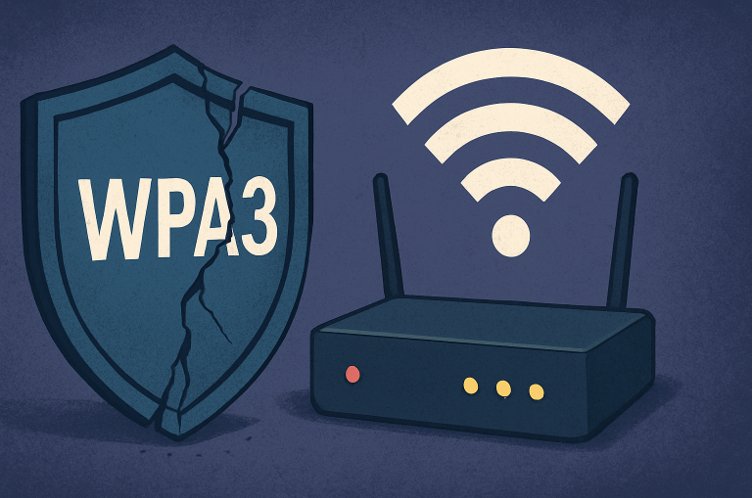
WPA3 is Broken: Why Your “Next-Gen” Wi-Fi is Still Not Safe
Deputy Head of Master IT Program
Head of Cybersecurity Research Centre of Excellence
Head of Security Operations Center
Swiss German University
_________________________________________________________________________
Is WPA3 really secure? When Wi-Fi Protected Access 3 (WPA3) was announced, it promised to fix the well-known flaws in WPA2. After attacks like KRACK shook the world in 2017 [2], WPA3 was marketed as the future of Wi-Fi security, introducing new protections against brute-force password cracking, denial-of-service attacks, and hotspot cloning.
But reality is different. Researchers have since proven that WPA3 vulnerabilities exist in both the protocol design and real-world implementations [1]. In short: WPA3 can still be hacked.
If you’re wondering how safe your home or public Wi-Fi really is, this post breaks down:
- The major WPA3 flaws (like Dragonblood)
- How attackers can still hack WPA3 networks
- What this means for your Wi-Fi security at home and on public hotspots
- Practical Wi-Fi safety tips you can use today
But reality is different. Researchers have since proven that WPA3 vulnerabilities exist in both the protocol design and real-world implementations [1]. In short: WPA3 can still be hacked.
If you’re wondering how safe your home or public Wi-Fi really is, this post breaks down:
- The major WPA3 flaws (like Dragonblood)
- How attackers can still hack WPA3 networks
- What this means for your Wi-Fi security at home and on public hotspots
- Practical Wi-Fi safety tips you can use today
What Is WPA3 and Why Does It Matter?
WPA3 is the latest Wi-Fi security standard, designed to replace WPA2, which had been around since 2004. It introduced two big improvements:
- Simultaneous Authentication of Equals (SAE) handshake (Dragonfly) → prevents offline password guessing.
- Management Frame Protection (MFP) → prevents attackers from spoofing disconnect messages.
Sounds good, right? The problem is that both of these “fixes” still have weaknesses.
WPA3 Vulnerability #1: Cracks in the Dragonfly Handshake
The Dragonfly handshake (also called SAE) was supposed to protect home Wi-Fi networks from brute-force password attacks.
Dragonblood: The WPA3 Password Leak
In 2019, researchers revealed Dragonblood, a set of vulnerabilities that leak information during the handshake process [1]. By carefully measuring response times, attackers can recover enough hints about your password to run offline brute-force attacks—the exact attack WPA3 was designed to stop.
Even budget devices like Raspberry Pi were shown to be exploitable in real-world tests.
Denial-of-Service (DoS) Attacks
WPA3 routers are also vulnerable to simple handshake flooding attacks. By sending lots of fake handshake requests, attackers can crash routers like the D-Link DIR-X1860. Ironically, WPA3’s built-in “anti-clogging” defense created the bug that allows this attack [1].
➡️ Bottom line: WPA3 still leaks passwords and can be knocked offline by DoS.
WPA3 Vulnerability #2: Management Frame Protection Doesn’t Protect
MFP was supposed to stop classic Wi-Fi hacking tricks, like deauthentication attacks (where an attacker forces your device to disconnect). Unfortunately, it has serious problems.
Weak Standard Design
The MFP standard is overly complex, full of contradictory rules [3]. For example:
- Some rules require devices to accept unprotected disconnection frames before encryption is active.
- Others tell devices to reject them.
Attackers can exploit this confusion to force Wi-Fi disconnections at will.
Beacon Attacks
Even worse, beacon frames—which tell your device the network’s name and settings—are not protected. Attackers can forge these to cause:
- Forced disconnections (via fake channel switches)
- Reduced speeds (by spoofing bad bandwidth settings)
- Battery drain (by keeping devices awake) [6]
These attacks work across major operating systems, including Windows, macOS, Linux, iOS, and Android [3].
➡️ Bottom line: WPA3 networks can still be disrupted with simple spoofing attacks.
WPA3 Vulnerability #3: Public Wi-Fi Hotspots Are Still Dangerous
To protect public Wi-Fi, WPA3 introduced SAE-PK, which uses public keys to stop attackers from cloning hotspots. On paper, this should fix the classic “evil twin” hotspot problem.
But in practice, it’s still weak.
Password Cracking with Rainbow Tables
SAE-PK generates passwords from network details, but researchers showed that attackers can use rainbow tables and cloud computing to break weak passwords in just two weeks [1].
Network-Layer Attacks Still Work
Even if hotspot cloning is blocked, attackers can still:
- Use ARP poisoning to intercept traffic.
- Exploit the shared group key to inject malicious packets (similar to WPA2’s “Hole 196” vulnerability [5]).
Tests found that Windows, Linux, iOS, and Android devices remain exposed [5].
➡️ Bottom line: Public Wi-Fi is still unsafe, even with WPA3. Always use a VPN.
WPA3 Vulnerability #4: Exploit Tools Are Publicly Available
Researchers have built a WPA3 exploit framework [4] that automates many of these attacks, including:
- Beacon spoofing
- Channel-switch disconnections
- Handshake flooding
- Group key injection
This means hackers don’t need to invent these attacks from scratch—tools already exist.
WPA3 vs WPA2: Is WPA3 Still Worth It?
Yes, WPA3 is still better than WPA2, but it’s not the unbreakable security it was marketed to be. WPA2 is known to be broken (KRACK, Hole 196, dictionary attacks), while WPA3 raises the bar but introduces new flaws.
Think of WPA3 as stronger armor with some cracks. It’s still progress—but not perfect.
Wi-Fi Security Tips (What You Can Do)
Until WPA3 matures, here are steps to keep your Wi-Fi safe:
- Update your router and devices. Many WPA3 vulnerabilities are fixed through patches.
- Use strong passwords. WPA3 still relies on shared secrets—avoid short or simple ones.
- Use a VPN on public Wi-Fi. This protects you from ARP poisoning and packet injection.
- Disable auto-connect. Don’t let your phone auto-join public Wi-Fi networks.
- Consider using mobile data instead of insecure hotspots for sensitive tasks.
Conclusion
WPA3 was marketed as the “future of Wi-Fi security,” but research shows it’s still vulnerable to practical attacks like password cracking, denial-of-service, and public hotspot interception.
The key lesson? No Wi-Fi standard is unhackable. Security requires not just better protocols but also continuous updates, audits, and safe practices from users.
So, while WPA3 is a step forward, don’t be fooled into thinking it’s bulletproof. Stay updated, use strong passwords, and always treat public Wi-Fi with caution.
References
[1] M. Vanhoef, “Attacking WPA3: New Vulnerabilities & Exploit Framework,” HITB Security Conference, Singapore, 2022.
[2] M. Vanhoef and F. Piessens, “Key Reinstallation Attacks: The Return of the Wi-Fi Devil,” KU Leuven Research Paper, 2017.
[3] D. Schepers, A. Ranganathan, and M. Vanhoef, “On the Robustness of Wi-Fi Deauthentication Countermeasures,” Proc. ACM WiSec, 2022.
[4] D. Schepers, M. Vanhoef, and A. Ranganathan, “DEMO: A Framework to Test and Fuzz Wi-Fi Devices,” Proc. ACM WiSec, 2021.
[5] M. Vanhoef and F. Piessens, “Predicting, Decrypting, and Abusing WPA2/802.11 Group Keys,” USENIX Security Symposium, 2016.
[6] M. Vanhoef, P. Adhikari, and C. Pöpper, “Protecting Wi-Fi Beacons from Outsider Forgeries,” Proc. ACM WiSec, 2020.